For senior school and TVET
Electrical installation labs on your phone.
Wire it, test it, trip it safely: no lab kit needed. Wire real circuits on a safe board, test them with a meter, and learn from every mistake. In English and Kiswahili.
Works with no internet once it has opened. Accounts come with the online service, hosted in Kenya.
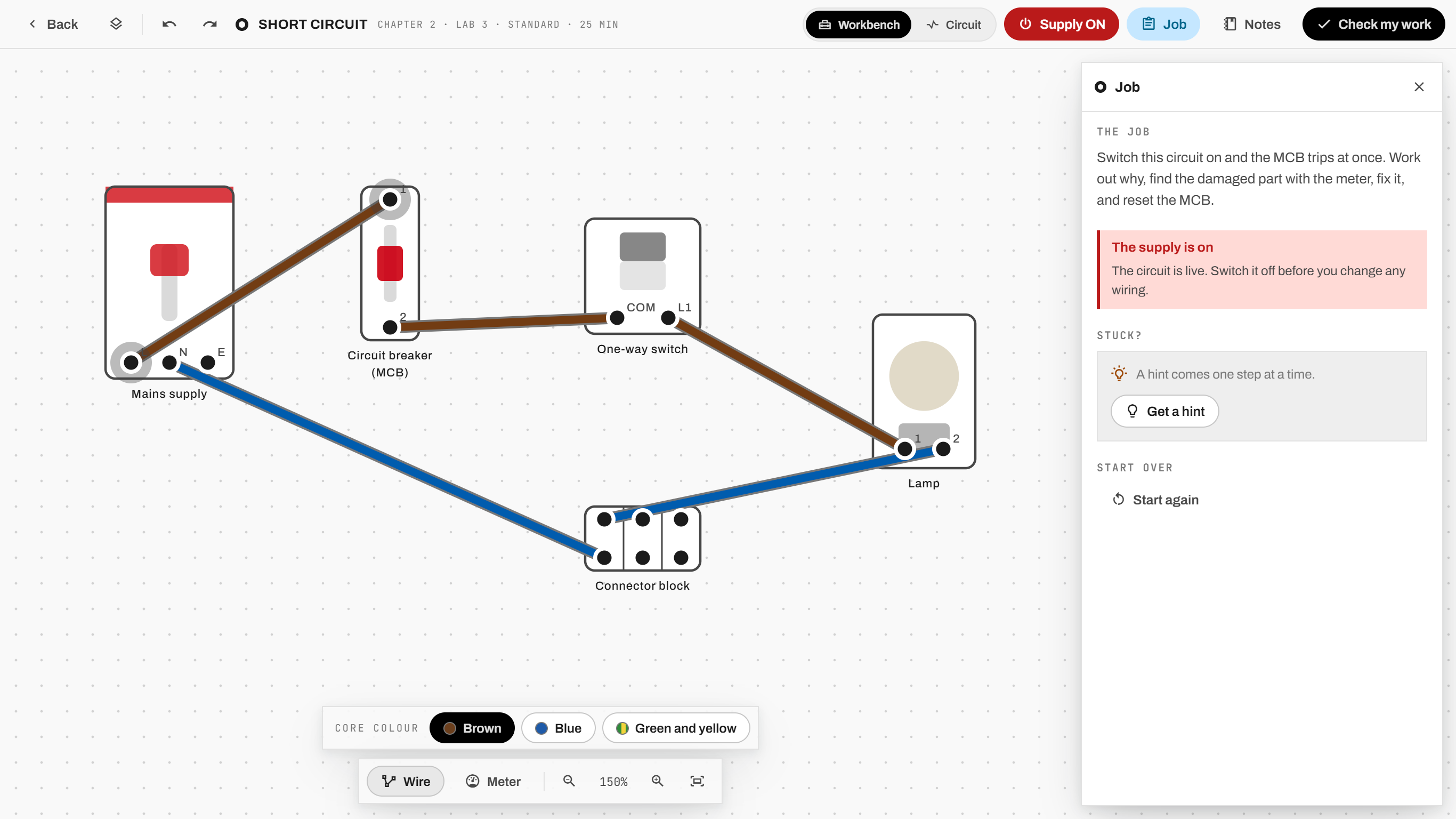
One lab, three moments
Do the job, safely, and see every step

1 · WIRE IT
A real circuit on the board
Place the parts, run the cable, land each core on its terminal. Then test it with the meter, the way an electrician would.

2 · SWITCH ON
Mistakes trip the breaker on screen
A short circuit trips the breaker here, not in the house. Learners see what went wrong and why, then put it right.

3 · CHECK IT
Every step is written down
Proving dead, every reading, every hint: the lab keeps it all, so a teacher sees how the work was done, not only whether the lamp lit.
Who it's for
For learners, families and schools

Families
- A child learns on the family's phone, safely.
- Two courses in one app: senior school and TVET, each at its own depth.
- With the online service: follow each child's progress, and agree before any of their work leaves the phone.
Free to start.

Schools and TVET colleges
- 17 labs and a free playground, from a first circuit to two-way and intermediate lighting, loop-in lighting, radial and ring final socket circuits, a consumer unit with an RCD and finding why it trips, fuses, a bell circuit, and inspection and testing.
- The practical loop without a lab kit: a class code on the board, and learners join once per device.
- Assign a lab, then see every step each learner took: isolating, proving dead, the readings.
- Instructors make labs of their own, by doing the job once on the board.
Schools and colleges: ask about the pilot.
Funders and partners
- One lab serves senior school and TVET, with different words and support for each.
- Work survives power cuts, and works with no internet.
- New labs reach learners without an app update.
- Data to be hosted in Kenya.
Works offline
No internet needed to learn
The labs, hints, Show me, saving and results all work with no network. Work is saved as it happens, so a power cut loses nothing.
Accounts come with the online service. Signing in, backup, families, classes, the school pages and the library need FundiLabs' online service, hosted in Kenya, which goes live with an app update. Until then the app runs fully on your device, and you can try all of it on the built-in demo data, clearly marked "Demo data: nothing here is real".
Get FundiLabs
Open it in your browser, or install it
Nothing to install in the browser: the first visit downloads about 19 MB, and after that it works offline.
Windows 10 or 11, and Android 7.0 or newer. Sizes, install help and checksums are on the downloads page.